
Go to Windows platform Display platforms icon
Go to Windows platform Go to Mac platform Go to Android platform Go to iOS platform
Raspberry Pi Imager icon

Raspberry Pi Imager

v2.0.12
5 1 reviews
54.4 k downloads
security security

Install operating systems images directly onto your Raspberry Pi SD

Advertisement
Remove ads and more with Turbo
Advertisement
Remove ads and more with Turbo
Raúl Rosso icon
Reviewed by
Raúl Rosso
Communications Specialist
Raúl Rosso is part of Uptodown's in-house Editorial Team. Translated by Uptodown Localization Team

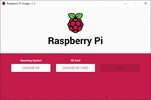
Raspberry Pi Imager is the official software by the Raspberry Pi Foundation aimed to simplify recording operating system images compatible with the popular micro-computer onto your home unit. Specifically, it streamlines writing and saving OS software on external SD cards. That way, they're easier to use later on -- you can pop it right in and burn it onto your Raspberry Pi unit without the extra runaround of using external tools.

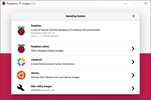
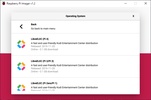
The list of officially recognized and supported operating systems that you can download and install from Raspberry Pi Imager includes well-known titles like Raspbian, LibreELEC and Ubuntu. Plus, each comes with different versions and flavors for each Raspberry Pi edition. For example, LibreELEC has versions for Pi Zero/1, Pi 2/3, and Pi 4. Ubuntu comes with the latest updates like LTS (as its standard).

Advertisement
Remove ads and more with Turbo

Once you've selected the operating system you're looking for, all you need to do is pop in your SD -- or MicroSD with an adapter -- to a card reader for your Raspberry Pi unit, and proceed to run your selected ISO. This is going to take a couple of minutes and you're going to need to have your disk image on hand to stick it into your Raspi.

Information about Raspberry Pi Imager v2.0.12

Basic information

Developer Raspberry Pi Foundation
Category Operating Systems
Rating All ages
Languages English

Distribution model

Pricing Free
License Proprietary
Copyright © 2026 Raspberry Pi Foundation
Why is this app published on Uptodown? (More information)

Security and privacy

Required permissions Not applicable
See security and antivirus report

Download info

Downloads 54,423
Date Oct 10, 2026
File type EXE
Size 21.28 MB
SHA256 98bff90afe23339d0768915f6f68d35ac254740ec1eac2082ebeaa9ba41bc8e3
Advertisement
Remove ads and more with Turbo

Older versions

See more
exe v2.0.11.1 Aug 19, 2026
exe v2.0.10 Jun 20, 2026
exe 2.0.8 Apr 9, 2026
exe v2.0.7 Apr 7, 2026
exe v2.0.6 Jan 23, 2026
exe 1.8.5 May 28, 2025
Available for other platforms

Rate this App

Review the app
Raspberry Pi Imager icon

Rating

5.0
5
4
3
2
1
1 reviews

Comments

There are no opinions about Raspberry Pi Imager yet. Be the first! Comment

Advertisement
Remove ads and more with Turbo
Windows 10 icon
Download the latest Windows 10 ISO on your device
Windows 7 Home Premium icon
Download the latest Operating System by Microsoft
Windows 11 icon
Download the latest Windows 11 ISO on your device
Windows 8.1 icon
Upgrade to Windows 8.1 before anyone else
EasyBCD icon
Configure your PC boot options
Android SDK Platform-Tools (ADB) icon
Use ADB and Fastboot to control your Android smartphone
Samsung Odin icon
Flash official Samsung firmware on your device
Windows 7 USB DVD Download Tool icon
Burn your Windows 7 on a DVD or USB stick
Windows 10 icon
Download the latest Windows 10 ISO on your device
AnyDesk icon
Faster remote desktop is possible
Microsoft Excel icon
The most complete spreadsheet tool on the market
Microsoft Office 2019 icon
Install Word, Excel and PowerPoint with Office 2019
Microsoft Office 2021 icon
2021 versions of Word, Excel, PowerPoint and Outlook
Windows 7 Home Premium icon
Download the latest Operating System by Microsoft
Microsoft Word icon
The leading word processor for working with documents
Rufus icon
Create boot disks from an external drive